
Consent log
What it is
Section titled “What it is”Consent log is a vital part of ensuring compliance with data privacy laws such as GDPR, and other regulations.
It provides a secure, timestamped record of user consent choices, serving as proof of compliance and a reference for audits.
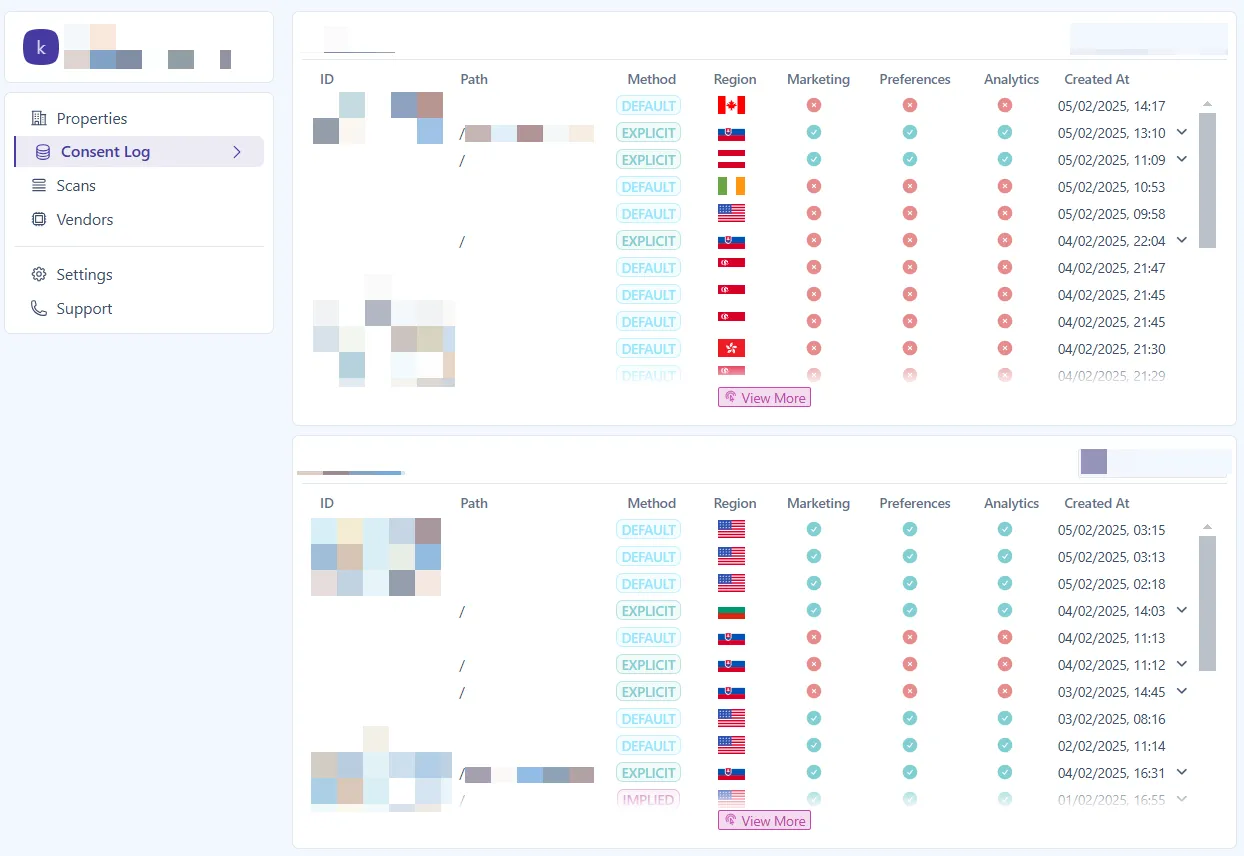
Cookifi logs the following key details:
Each website visitor is assigned a unique Cookifi user ID, which groups their interactions with the banner.
This field captures the URL path where the visitor made their consent choice.
Method
Section titled “Method”Indicates how consent was obtained. There are three methods available:
The initial consent state before the visitor interacts with the consent notice. The consent status for each cookie category is applied based on the region’s configured consent method — explicit (opt-in) or implied (opt-out).
You can view the consent method used for each region in your Regions settings.
Recorded when the visitor actively interacts with the consent notice — for example by accepting all cookies, partially accepting, or rejecting all cookies.
Explicit consent is logged after user interaction, regardless of whether the region uses an explicit (opt-in) or implied (opt-out) consent method.
The consent state applied in regions configured to use an implied (opt-out) consent method, before the visitor explicitly interacts with the consent notice.
In these regions, visitors are informed about cookies via a notice bar. If they continue browsing or dismiss the notice without making a choice, Cookifi records this as implied consent.
If the visitor later interacts with the notice (for example by clicking “Accept”), that action is recorded as explicit consent.
You can review which consent method is configured for each region in your Regions settings.
Region
Section titled “Region”Records the visitor’s detected region, determining which consent rules apply.
Marketing, Preferences, Analytics
Section titled “Marketing, Preferences, Analytics”These fields store whether the visitor granted or denied consent for each respective category.
Created At
Section titled “Created At”Records the exact date and time when the consent was obtained, ensuring a reliable audit trail.
Export
Section titled “Export”You can download the consent log to your device.